
Budget and Duration Instagram Ads: A Practical Guide
Learn how budget and duration Instagram campaigns work, how daily and lifetime budgets differ, and how to set both for better results.
Total planned spend is the daily budget multiplied by the number of days: $10 a day for five days means up to $50 under Meta’s short-run rule. A lifetime budget is a hard maximum for the whole run.
If you choose a daily amount without calculating the full run, have you really chosen your spending limit? Budget and duration on Instagram belong in the same decision. The amount must fit what you can afford, and the duration must give you a useful chance to judge results.
Table of Contents
- What Your Budget and Duration Add Up To
- Daily Versus Lifetime Budgets Explained
- How Much Budget a Test Needs to Decide
- How to Set Budget and Duration Step by Step
- Budget Changes, Schedules and the Learning Phase
- Managing Budget and Duration Across Accounts and Trial
What Your Budget and Duration Add Up To
Multiply the daily budget by the scheduled days to calculate your planned spend, or use a lifetime budget to cap the whole run. The important distinction is whether that answer is a planning total or a hard maximum.
A daily budget describes your average daily spending target. Duration describes how long delivery should continue, so extending the run changes your financial commitment even when the daily amount stays unchanged.
For the November 2026 planning reference, Meta’s short-run spending guidance states that campaigns lasting less than seven days won’t spend more than the daily budget multiplied by their duration. That makes $10 daily over five days a stated maximum of $50.
Spend totals for common budget and duration combinations
The daily-rate examples below follow the arithmetic illustrated in Performance Marketing Hub’s Instagram cost guide; the lifetime example uses a fixed total rather than a daily rate.
| Budget set | Duration | Total spend | Basis |
|---|---|---|---|
| $10 daily | 5 days | Up to $50 | Stated maximum for runs under seven days |
| $5 daily | 7 days | About $35 | Planned daily rate times days |
| $20 daily | 30 days | About $600 | Planned daily rate times days |
| $50 daily | 30 days | About $1,500 | Planned daily rate times days |
| $250 lifetime | 5 days | Up to $250 | Hard maximum for the whole run |
Read about carefully. Multiplying a daily rate gives you a useful planning figure, but you shouldn’t assume that every longer campaign follows identical day-by-day spending.
The lifetime row answers a different question: how much may the campaign spend altogether? It doesn’t promise equal delivery on each day.
Check the commitment before choosing the setting
Creative preparation matters too. The AdLibrarySpy Instagram ad research guide provides a separate resource for researching Instagram ads before committing your test budget; use creative research to sharpen the test, not to predict guaranteed results.
Before launch: Multiply first, compare the total with the money you can afford to spend, then choose the budget type.
Don’t select an affordable-looking daily amount and leave the end date undecided. Write the full planned commitment beside the daily setting so whoever approves the campaign sees both.
Daily Versus Lifetime Budgets Explained
A daily budget is an average spending target, while a lifetime budget limits the entire scheduled run. Choose according to whether you need ongoing delivery or a fixed total commitment.
Daily and lifetime budgets compared
For the November 2026 planning reference, Meta’s daily and lifetime budget documentation defines daily spending as an average, limits weekly spending to seven times the daily amount, and treats a lifetime budget as a hard total cap.
| Budget type | How spend is limited | Best when | Watch for |
|---|---|---|---|
| Daily budget | Average per day, with weekly spend capped at seven times the daily amount | The campaign should stay active and adapt to demand | Some days spend more and others less |
| Lifetime budget | Hard maximum for the entire scheduled run | You need a fixed total and a set end date | Daily spend varies with auction opportunity |
Choose lifetime when the total and deadline matter most. Choose daily when delivery should continue until you decide to stop it.
A fixed promotion needs an explicit financial boundary. A lifetime budget makes that boundary easier to communicate because the amount applies to the whole scheduled promotion, not to a repeating daily target.
An ongoing acquisition campaign needs a different operating habit. With a daily budget, someone must own the review date and the decision to continue, adjust or pause.
A cap doesn’t promise even delivery
Neither setting guarantees a smooth spending line. With a lifetime budget, Meta can distribute the available money unevenly across the scheduled days instead of dividing it into identical portions.
That matters when you check progress. Compare actual spending with the time remaining and the results being produced, rather than treating every uneven day as a setup error.
A clear budget type also improves approval conversations. Ask whether the approver is agreeing to an ongoing rate or an entire campaign commitment, because those aren’t interchangeable.
Avoid these common mistakes:
- Treating daily as a strict daily cap. The setting describes an average, not an identical charge every day.
- Choosing lifetime without a clear end date. A fixed total needs a defined delivery window.
- Judging a short flight only by multiplication. Check actual pacing, meaning how quickly Meta spends the available money, before deciding whether delivery looks wrong.
How Much Budget a Test Needs to Decide
A useful test needs enough budget to produce several of the results you care about, not just impressions and clicks. Start with the expected cost per result, then work backward to a spending commitment.
Meta’s advertising pricing guidance recommends starting with at least $5 and running for more than six days. That’s a delivery starting point, not proof that the resulting purchases or leads will be enough to support a decision.
Translate a lead cost into waiting time
Use this formula:
Theoretical days to one result = expected cost per result ÷ daily budget.
For this November 2026 planning exercise, the illustrative third-party benchmarks are $3.16 for the restaurant median, $27.66 for the US median and $76.71 for the dentist median. Their underlying benchmark publication month isn’t established, so treat them as arithmetic inputs, not verified November 2026 market rates or Meta-published industry prices.
Theoretical days to one lead at two daily budgets
| Benchmark cost per lead | Days to one lead at $5 a day | Days to one lead at $20 a day |
|---|---|---|
| $3.16 (restaurant median) | About 0.63 days | About 0.16 days |
| $27.66 (US median) | About 5.53 days | About 1.38 days |
| $76.71 (dentist median) | About 15.34 days | About 3.84 days |
These calculations divide each benchmark by the daily amount. They ignore auction volatility, creative differences and tracking loss, so fractional days describe an average pace, not a promised arrival time.
The practical difference is substantial. At the lower benchmark, a small daily amount could accumulate results relatively quickly; at the higher benchmark, the same amount could leave you waiting more than two weeks for a single lead.
A single result can’t tell you whether performance is repeatable. For broader comparison, Helbling Digital Media’s 2026 online advertising cost benchmarks offer another resource, but your account’s measured results should guide your eventual forecast.
Change the test when the arithmetic doesn’t work
- Raise the daily budget if the total commitment remains affordable.
- Extend the duration when you can wait longer for evidence.
- Combine overlapping tests so limited spending isn’t divided across too many campaigns.
- Pause an uninformative test when its likely results can’t support the decision you need.
Use a consistent definition of a result, supported by this guide to ad performance metrics. Write down your target cost per result before setting the budget, and distinguish a recorded lead from a qualified lead or eventual sale.
How to Set Budget and Duration Step by Step
Set the desired result, budget type, duration and schedule in that order. Then check the complete spending commitment before you publish.

Build the setup around a decision
-
Name the conversion event and its target cost. A conversion is the action you want someone to take, such as submitting a lead form or completing a purchase. Decide what you’re willing to pay for that action so the budget supports a business question, rather than buying activity.
-
Choose the budget type. Use daily budgeting for continuous delivery or lifetime budgeting for a fixed campaign commitment. Make sure the person approving the spending understands which type you’re using.
-
Set the duration deliberately. Choose an end date for a bounded test, or document that delivery will continue until someone pauses the ad set. For continuous delivery, assign an owner and a review date so the campaign doesn’t continue through neglect.
-
Run the spend check separately. Multiply the daily amount by the scheduled days, or confirm the lifetime total, then compare the commitment with your available funds. Keep this check separate from the creative review so an attractive ad doesn’t distract from an unaffordable run.
Add timing and a review record
-
Set the delivery schedule if timing matters. For the November 2026 planning reference, Meta’s ad-set scheduling guidance allows scheduling with daily or lifetime budgets and requires a scheduled ad set to run for at least one hour. Meta doesn’t deliver ads outside the selected schedule, although a small number of people may view them afterward because delivery and viewing don’t always happen at the same moment.
-
Confirm the setup and record the review date. Check the selected account, conversion event, amount, start, end and schedule before approving delivery. Save the original settings so you can distinguish poor performance from a later setup change.
If you’re working from an existing post rather than building the promotion from scratch, use this guide to promoting Instagram posts to understand that workflow before confirming the spending settings.
A correct bounded setup leaves you with a written spending ceiling, a visible end date and a saved schedule. For a deliberately ongoing campaign, record the absence of an end date and the person responsible for stopping it.
That written record should also state what decision you’ll make at review. Continue, change or pause based on the intended result, not because the scheduled review day has arrived.
Budget Changes, Schedules and the Learning Phase
Material budget or bid edits can send an ad set back into learning, so avoid changing a test before it has had a useful chance to run. A daily budget isn’t a strict same-day spending cap.
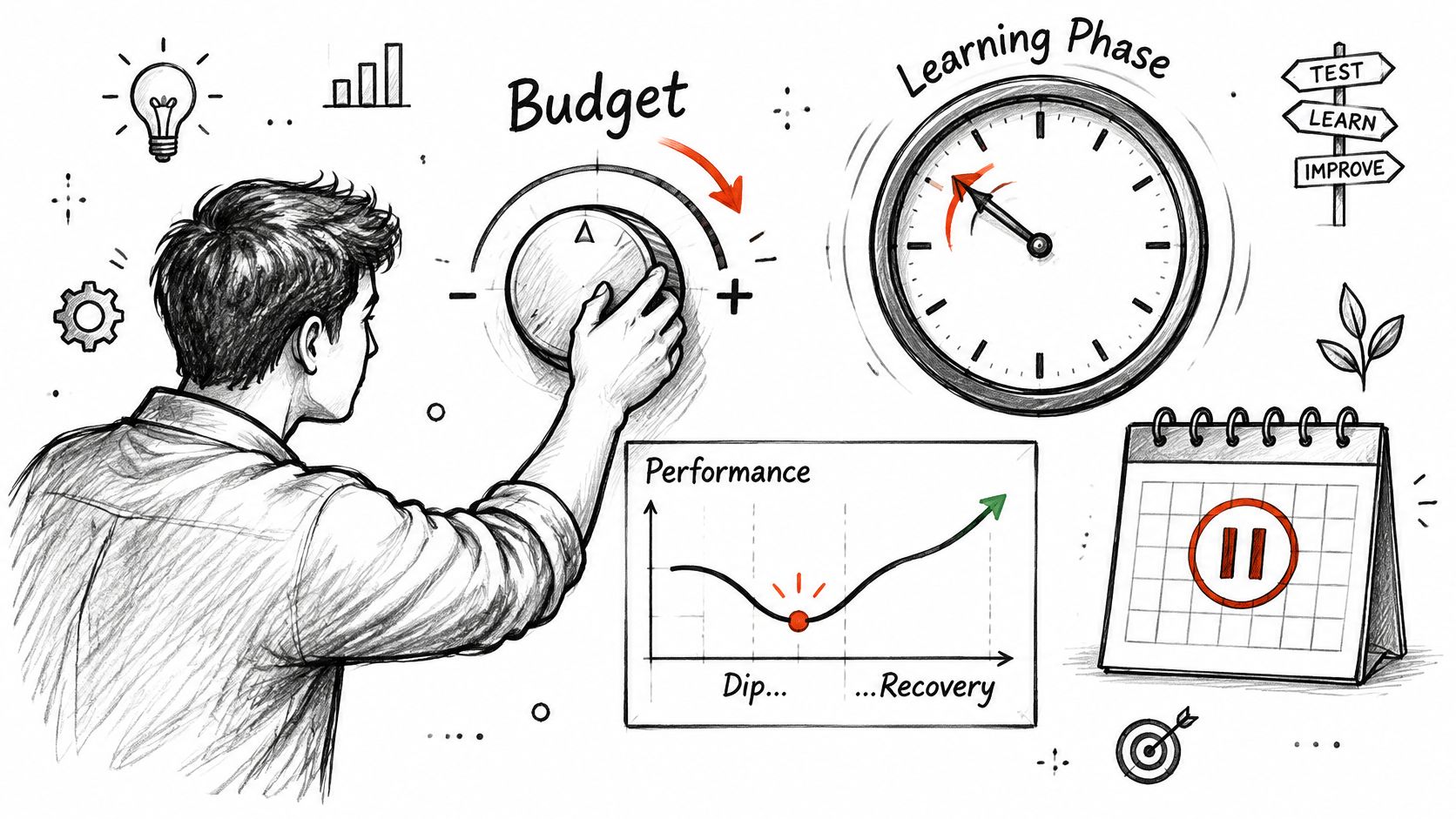
For the November 2026 planning reference, Meta’s budget pacing documentation describes spending up to 25% more than the daily amount on days with stronger predicted opportunities, while averaging delivery over the week. Don’t interpret the average setting as an identical daily withdrawal.
Separate learning from a persistent problem
Learning is the period when Meta gathers signals about how to deliver the ad set. New ad sets and material changes can trigger it, and delivery can consume money faster than the nominal daily target while those signals accumulate.
Frequent edits and stop-start schedules make the test harder to interpret. You may be comparing different delivery conditions rather than observing whether a stable setup can achieve your target cost.
Keep the setup stable long enough to evaluate it, unless tracking, affordability or a clear setup error requires intervention.
A bid change can make a Meta ad set spend its full budget, but never more than that budget. Moving its end date later, or removing the end date, adds days of spending opportunity, and the budget remains the limit.
Use scheduled increases for known demand
For the November 2026 planning reference, Meta’s high-demand-period documentation describes periods lasting at least three hours, with scheduled increases of up to eight times the original daily budget before automatic reversion. Tie those increases to known sales windows rather than leaving higher spending open-ended.
Record the reason for each intervention, then compare results over a meaningful window. Use a consistent ad budget optimization process, and wait before editing merely because a single delivery period looks uneven.
Managing Budget and Duration Across Accounts and Trial
AdCrunch is an AI-native ad toolkit for agencies, freelance buyers and in-house teams managing Meta, TikTok and Google Ads accounts. It connects account information and Meta actions to Claude, ChatGPT, any MCP-compatible agent and the Adgent, the chat agent in the AdCrunch console.
The agent reads spend, impressions, clicks, conversions, CTR, CPC and ROAS from the account down to the individual ad. That gives a buyer a consistent way to inspect spending and results without confusing an account-level total with the performance of a particular campaign or ad.
Review information and control changes
On Meta, the agent can create, copy, pause, resume, archive and rename, as well as change budgets, bids and schedules. Authorizing an AI client grants reads and writes together, so the controls around those actions matter.
The guardrails are specific:
- No hard-deletes. The agent cannot hard-delete anything.
- No targeting change on an existing ad set. It cannot alter that existing ad set’s targeting.
- Paused creation and copying. Everything it builds or copies arrives paused, including new Meta campaigns, ad sets, creatives and ads. Newly built items spend only after a separate request to resume them.
- Human confirmation. A person confirms in the console each change that starts spend, raises a budget, archives or restarts an ended ad set. An organization cannot disable that requirement.
The Activity page records every change with the account, the exact change, who asked, who confirmed it and how it ended. For budget and duration management, that record helps a team distinguish the original plan from later changes and identify who approved them.
Match the workflow to the team
Agencies can use the recorded actions when explaining account changes to clients. In-house teams can use the same record to keep budget decisions traceable across brands or markets.
Keep the operating instructions specific: identify the account, the intended spending limit, the delivery window and the change being requested. Those details give the person confirming an action something concrete to check.
As of November 2026, Pro costs $99 a month, flat, plus tax, with unlimited ad accounts and unlimited seats. The 7-day trial requires a card at checkout, with nothing charged for 7 days; full terms are on the pricing page.
AdCrunch connects account performance with controlled Meta budget, bid and schedule changes, so you can review the spending commitment before approving an action. Visit AdCrunch to start the 7-day trial and put your budget-and-duration review into a recorded workflow.